
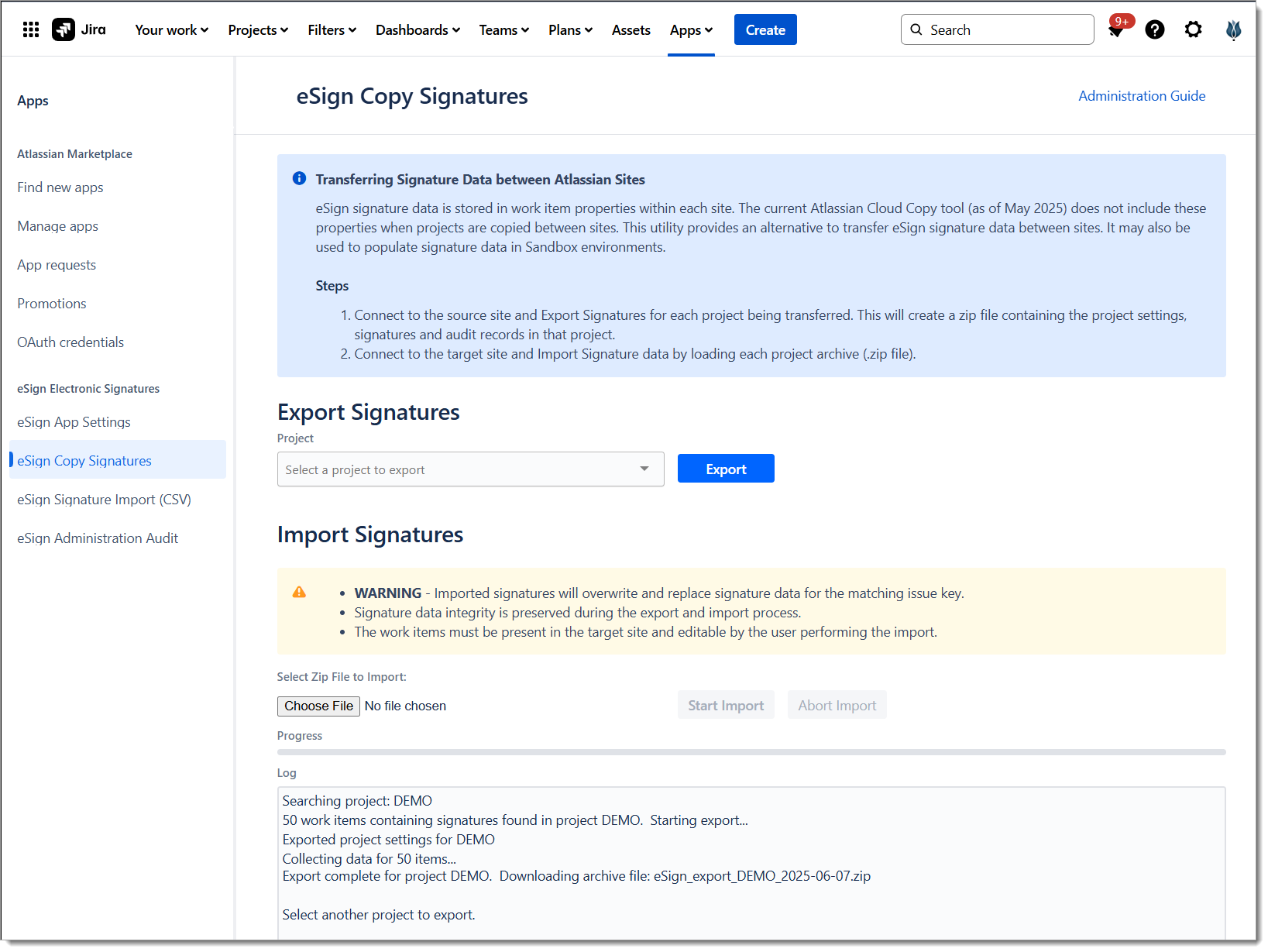
eSign signature data is stored in work item properties within each site. The current Atlassian Cloud Copy tool (as of May 2025) does not include these properties when spaces are copied between sites. This utility provides an alternative to transfer eSign signature data between sites. It may also be used to populate signature data in Sandbox environments.
Steps
-
Connect to the source site and Export Signatures for each space being transferred. This will create a zip file containing the space settings, signatures and audit records in that space.
-
Connect to the target site and Import Signature data by loading each space archive (.zip file).
Accessing the Tool
The Copy Signatures tool is available to Jira administrators. Access the tool under Apps > Manage Apps > eSign Copy Signatures.
Notes and Limitations
-
eSign Copy Signatures exports and imports at the space level only. Organizations with multiple spaces will export and import them individually.
-
Data exported/imported includes eSign signature metadata, signature audit data, and eSign Space settings. Jira work item attachments such as Signature Archives (pdf) are not included as they are transferred as part of the space.
-
The target space must already exist in the target site with all issues existing and editable by the administrator.