
Once Documents have been Released, they can be assigned for Training.
Assign Training to Users or Groups
Both groups and individual users can be assigned for training. It is also supported to duplicate training assignments from an existing document.
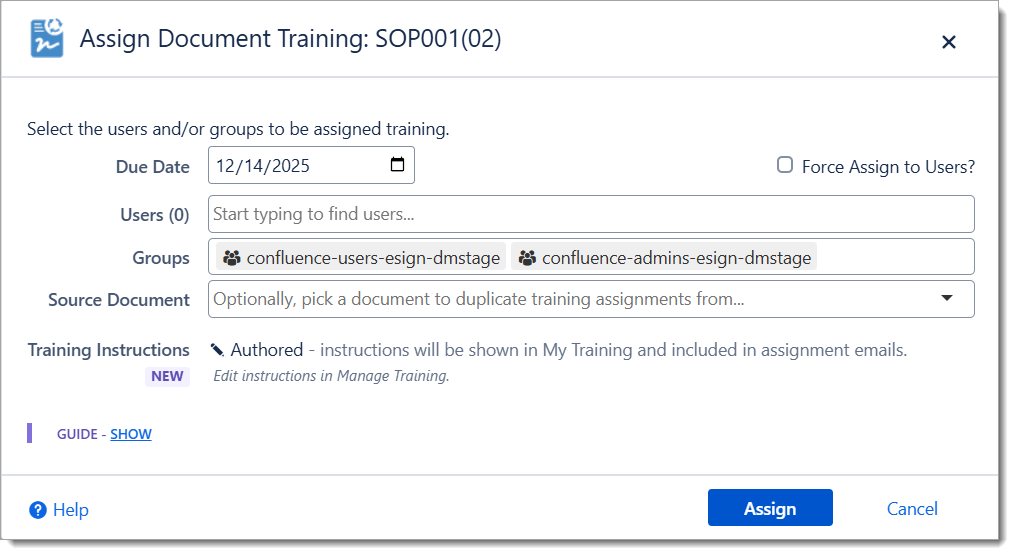
eSign will automatically skip assignments for users that have already completed document training. Use the Force Assign option for users that need to redo training in an exceptional circumstance.
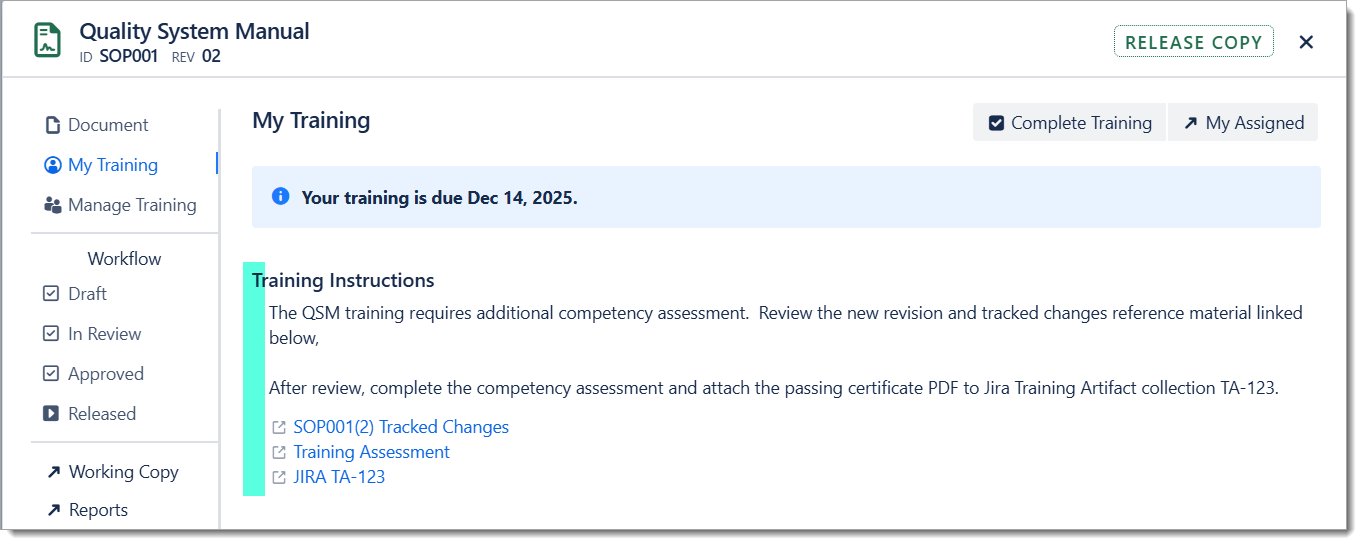
Authored Training Instructions will be included in the assignment email and shown to users on the My Training tab. For documents without Training Instructions, the default instructions will be shown online.
Document owners and admins can cancel training assignments individually or in bulk if needed.
User Training
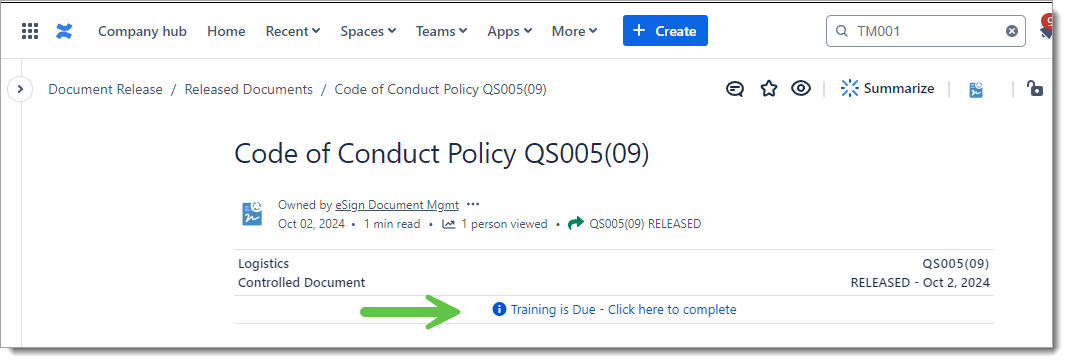
Users assigned will receive an email with the training invitation and a link to the Document. When a user views a document in Confluence a “Training is Due” message is displayed to them.
Authored Training Instructions
It is possible to author customized training instructions for managed documents. These instructions can provide targeted guidance for trainees on the steps to take during document training.
The instructions can include up to 3 links to training related resources. These links could be used to:
-
Link the user to a change highlights page or redline comparison reference.
-
Connect the user to a learning assessment quiz
-
Provide a storage location (e.g. Jira work item or cloud share) where the user could upload certificates or other evidence.
Notes
-
Training Instructions can be authored in the Working Copy and will automatically be copied into the current Release Copy on publish.
-
Training Instructions may also be authored/edited within a Release Copy.
-
Instructions will be included in the training assignment notification emails and visible online in the My Training tab where the user completes training.
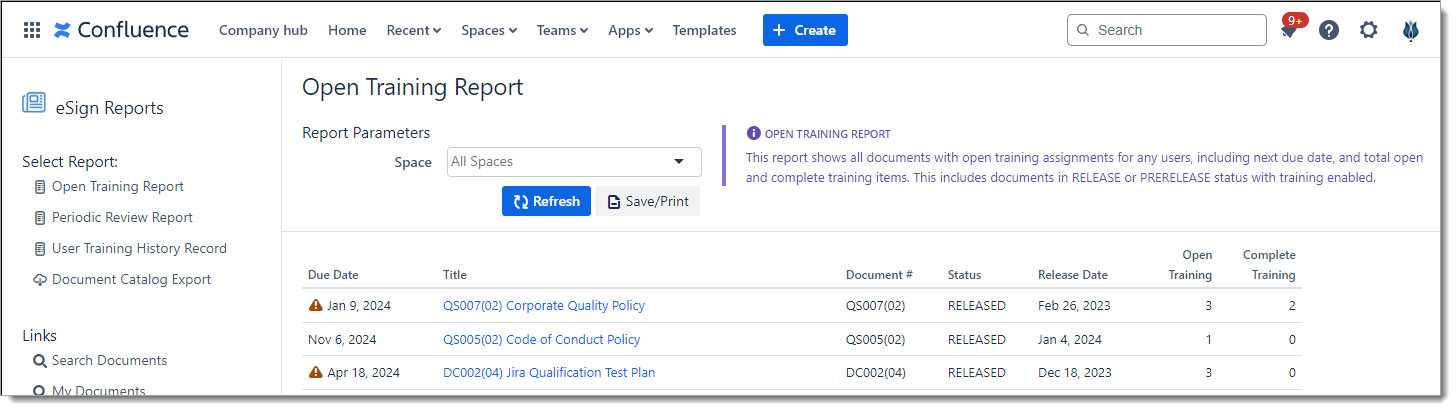
Open Training Report
The management and document control teams have access to an Open Training Report which summarizes all documents in the system with due or overdue training.
Group Training Subscriptions
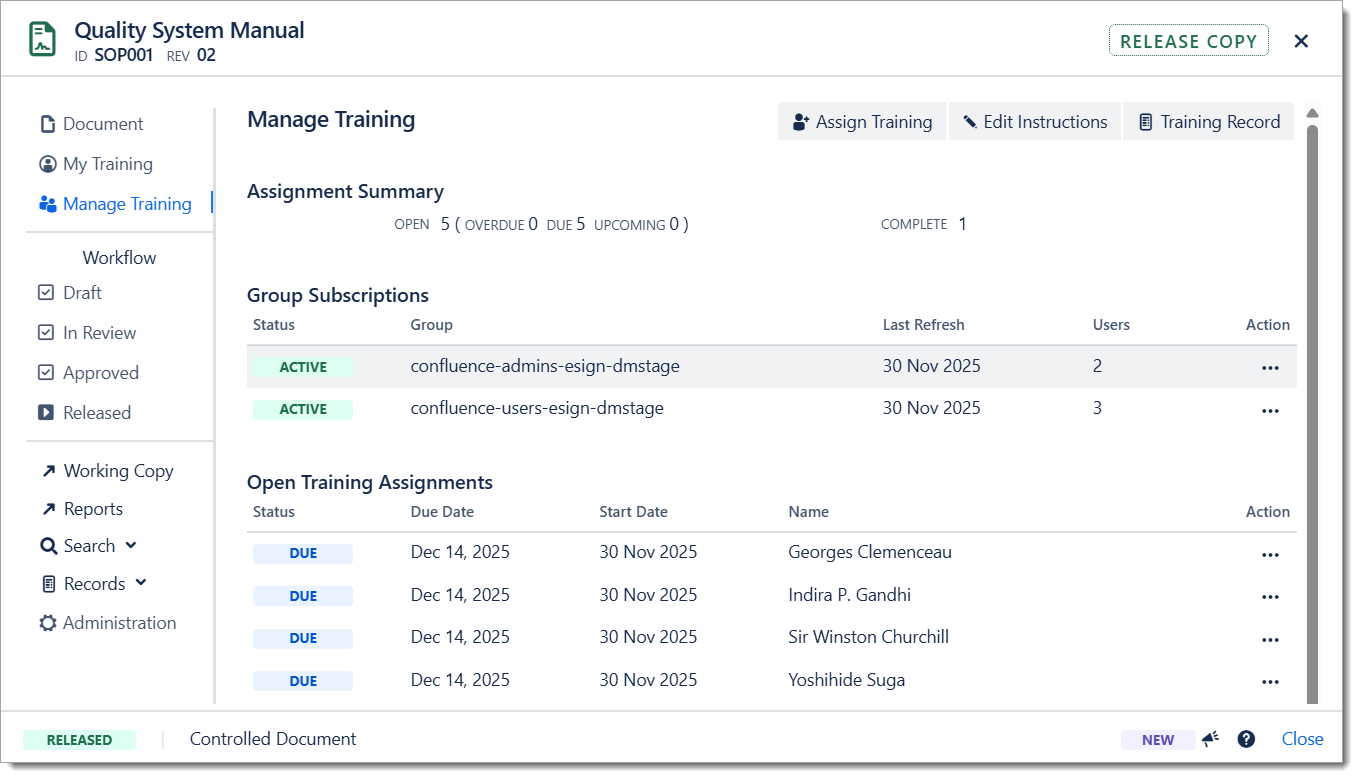
When a Confluence group is invited to train on a document, the group is now automatically subscribed. With this subscription active all users added to the group in the future will automatically be invited to train on the document.
The group subscriptions are refreshed weekly during the Training Reminder task. New group users will see the additional assigned documents on the weekly Training Reminder email.
Notes
-
Add Subscriptions to existing release documents by re-inviting required groups. Only new users that have not already completed or assigned training will be invited.
-
Subscriptions will be copied to subsequent revisions just like assignments.
-
Subscriptions can be cancelled from the Manage Training tab.
-
The Training Reminder task can be started manually by the administrator. Note this will refresh the group subscriptions and send training digests to ALL users with open training assignments.
Document Training Records
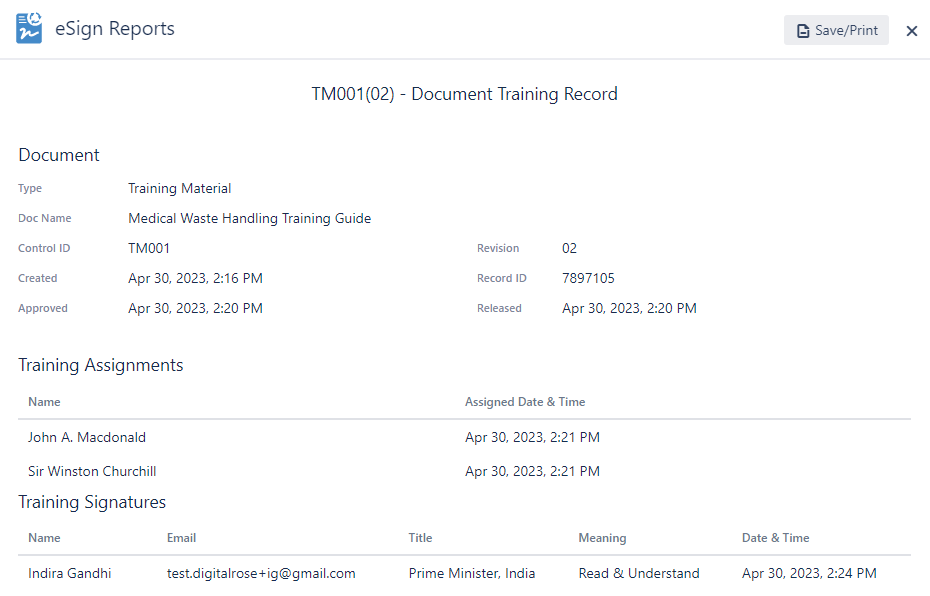
The Document Training Record can be generated at any time, and optionally saved/printed to show all open assignments and completed signatures.
Automatic Training Reminders
The app will automatically send weekly training reminder digests via email to users that have outstanding training assignments. See Training Reminders for details.