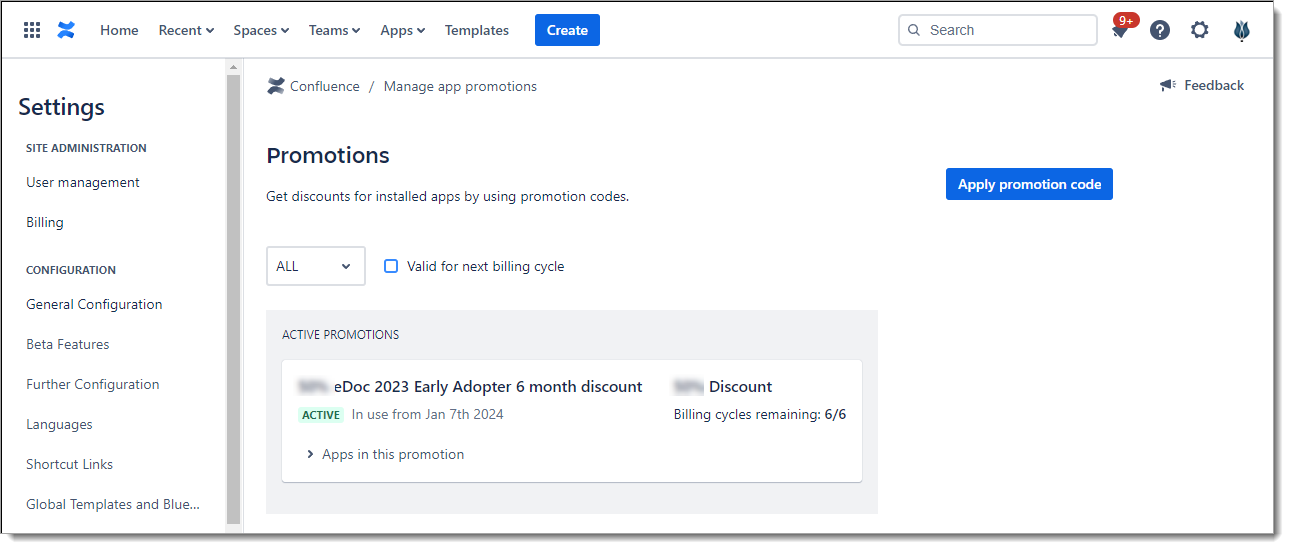
Promotions can be annual or monthly and must match your billing cycle. Each promotion has a defined number of billing cycles it will be valid for, like 1 year or 12 months.
Each code is bound to a specific app on the Atlassian Marketplace. Codes can be generic, to be used by all customers, or one-time usage, each customer need their own code.
Here's how to apply your App promotion code:
1) Access the Promotions Page
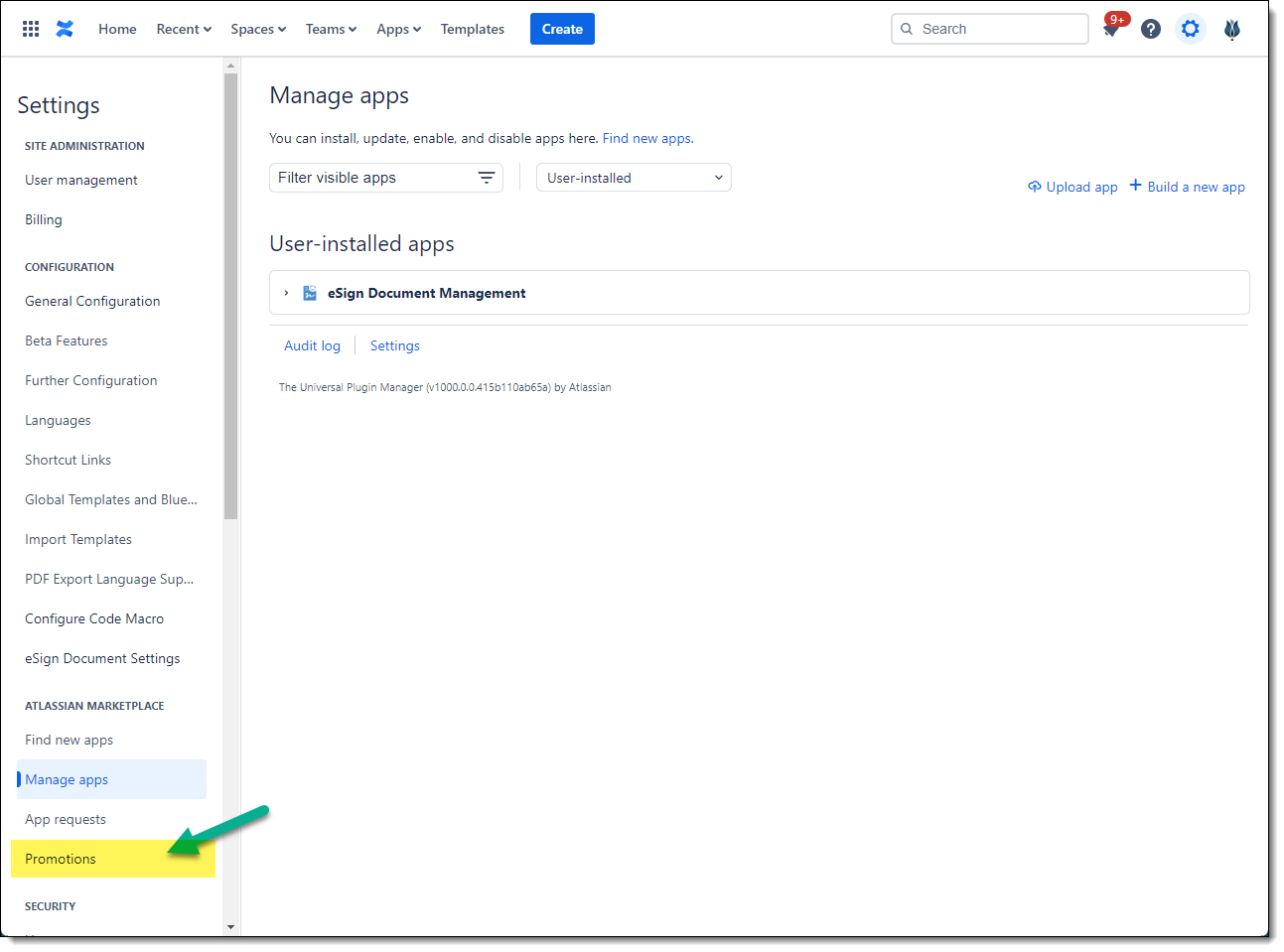
Atlassian Confluence Cloud: Settings -> Promotions
Open Settings > Promotions from the Admin Settings page or via Apps -> Manage Apps.
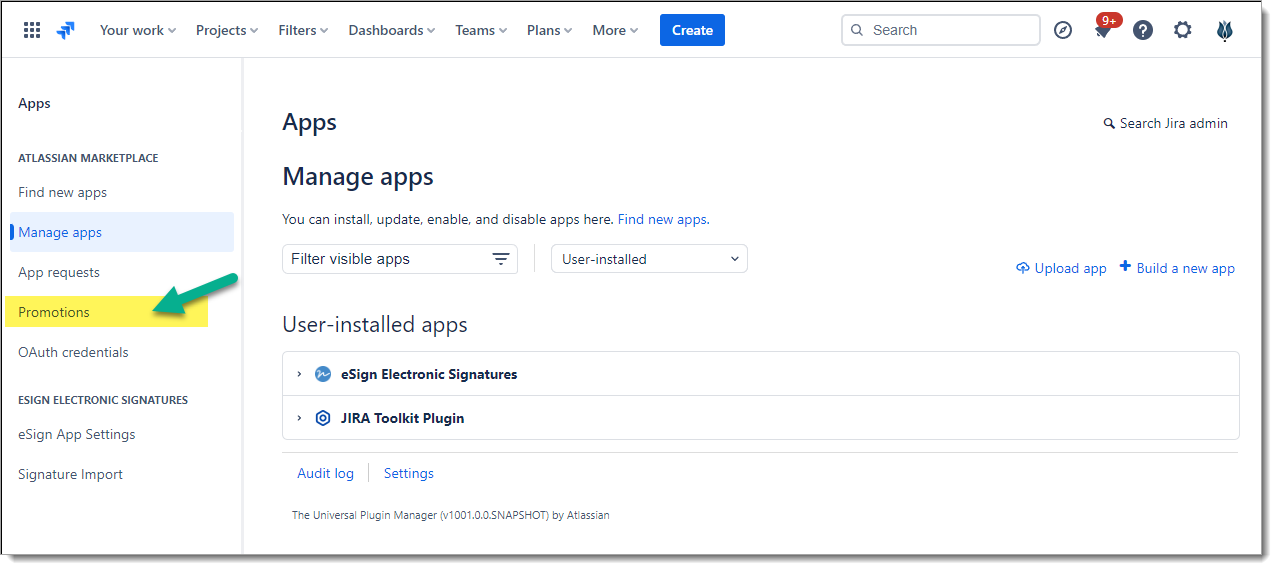
Atlassian Jira Cloud: Apps -> Promotions.
2) Apply Promotion Code
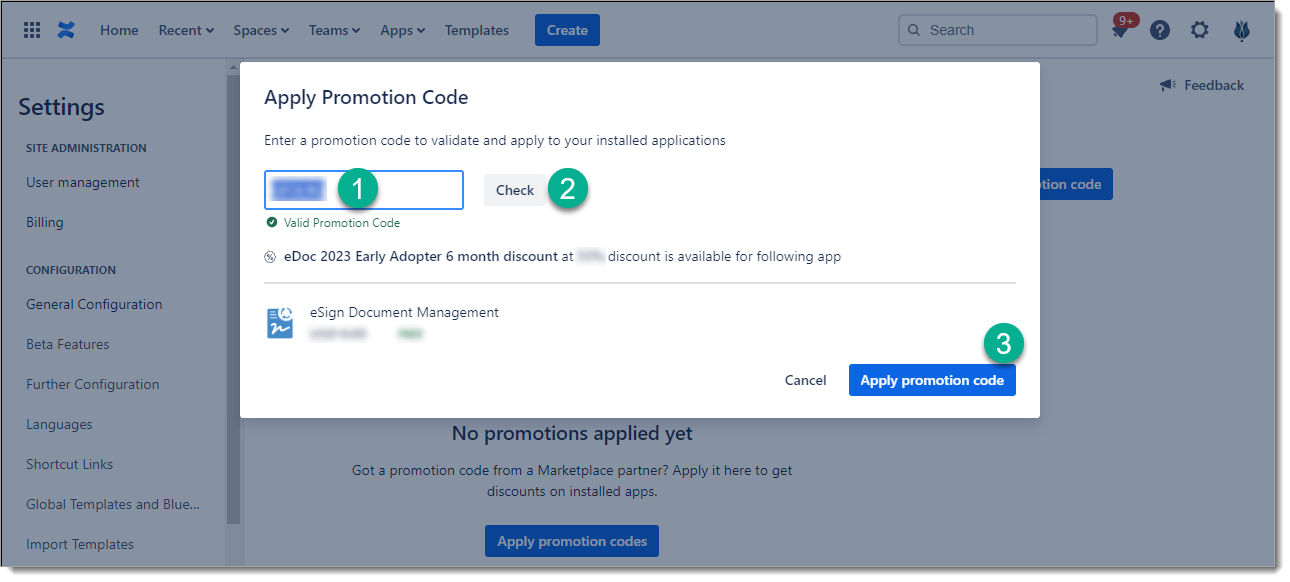
Open the "Apply Promotion Code" dialog and then
-
Enter the vendor provided promotion code
-
Click Check button
-
Click Apply Promotion code button
3) Verify Promotion is Active
The new promotion should show up in the list of active promotions.